
AI Kajabi site builder
Build your Kajabi site
with AI.
Start from a free Kajabi template, then connect ChatGPT or Claude to customize it for your brand. Preview live, refine block by block, and export a real Kajabi .zip.
Free to design. Pay only when you export. No credit card.























Start here — free
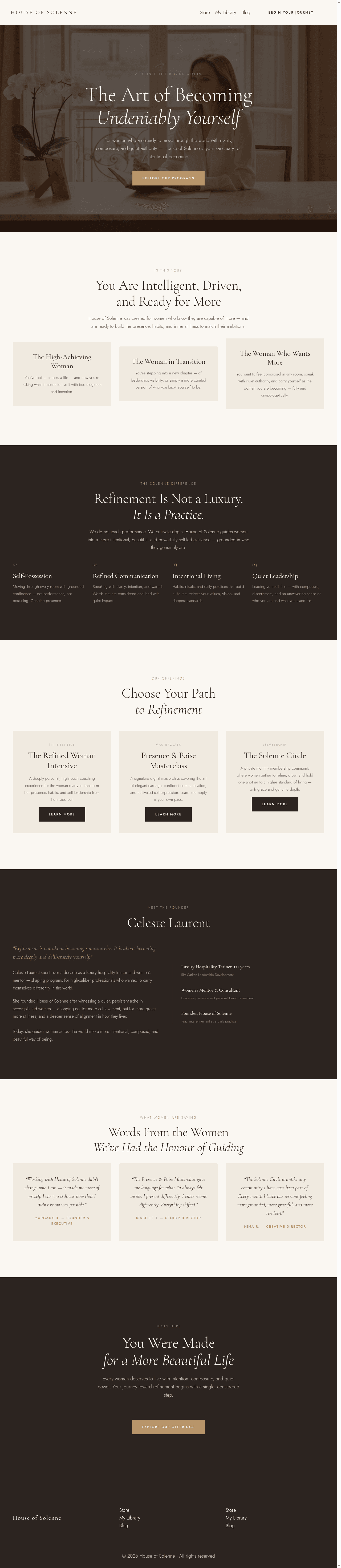
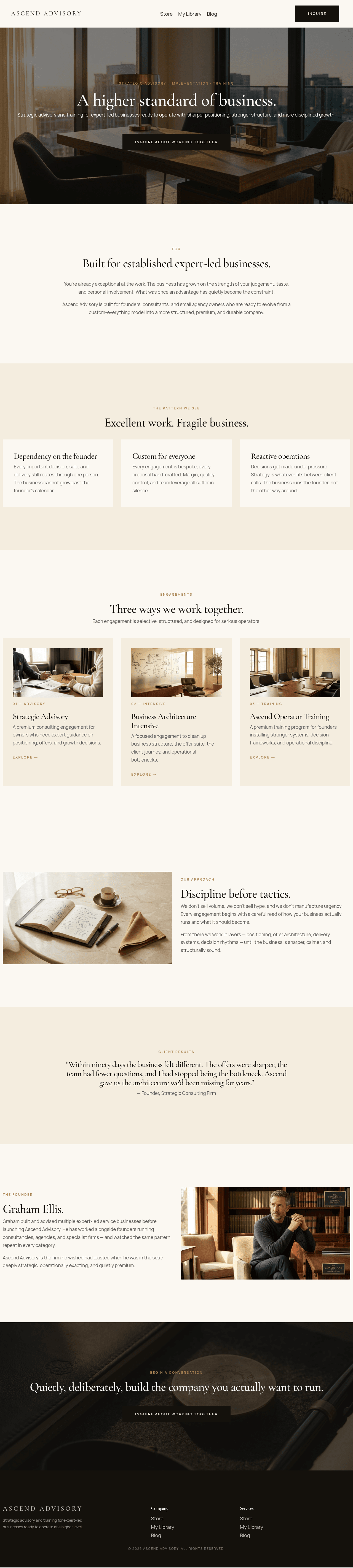
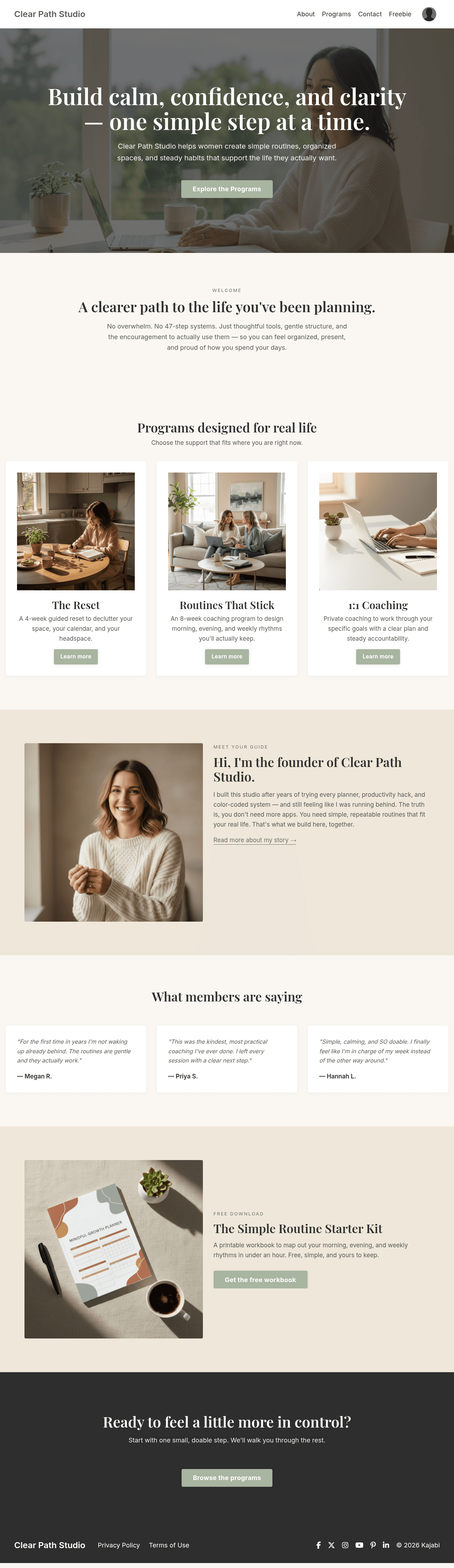
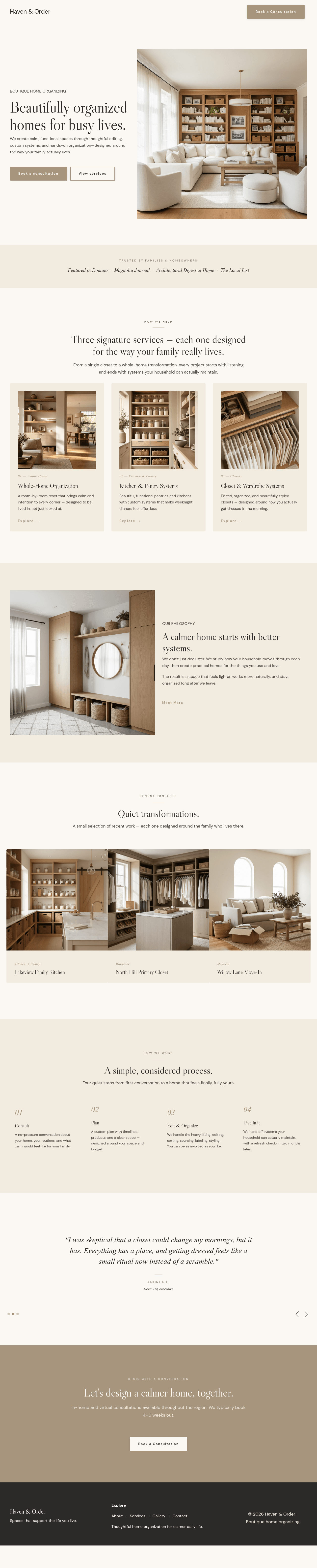
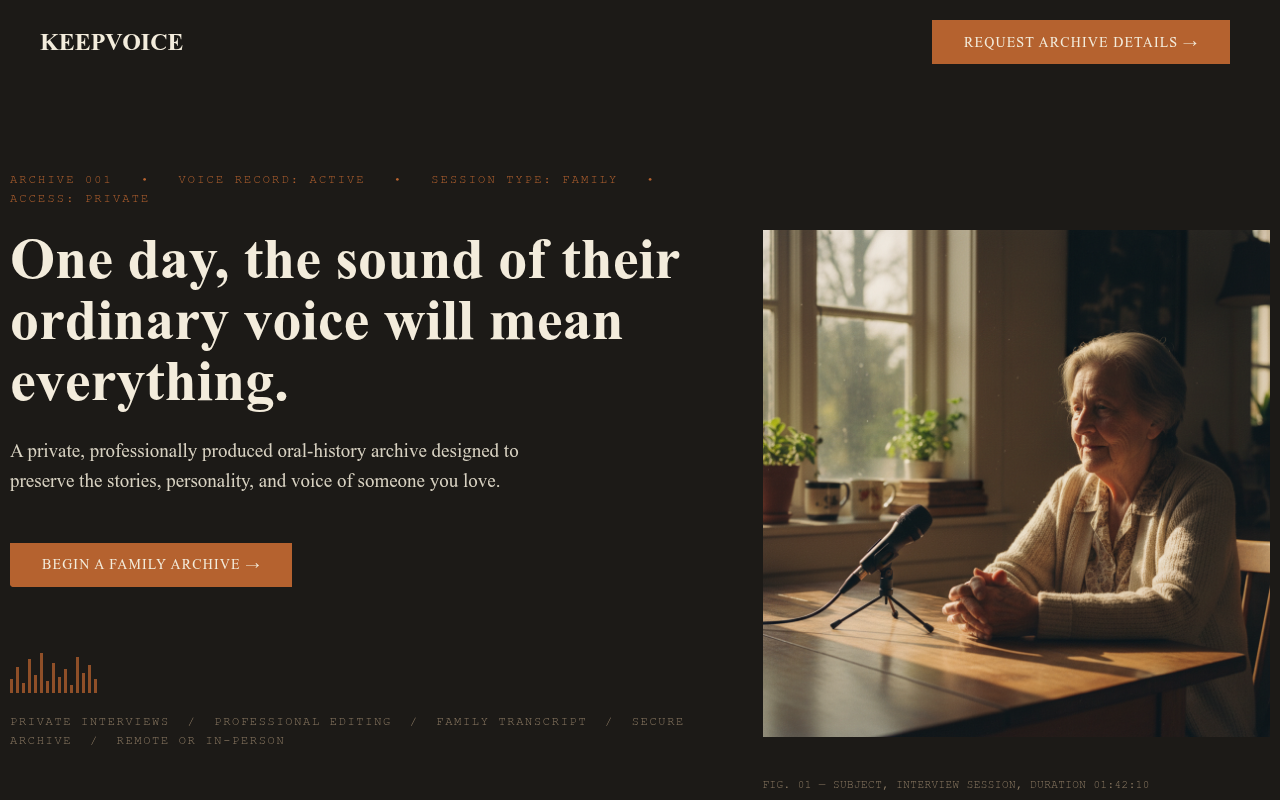
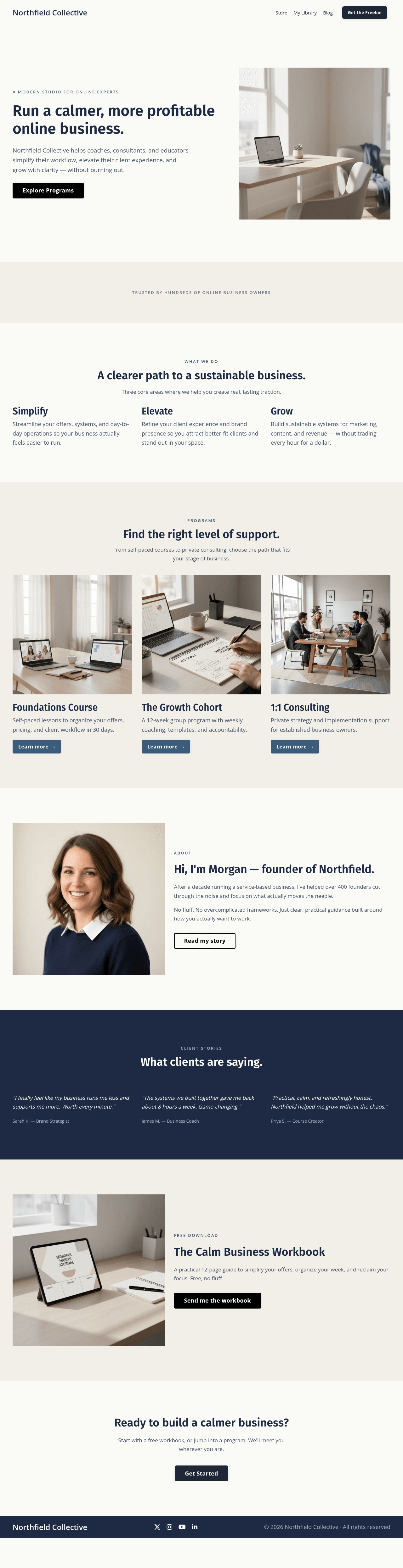
31 free Kajabi templates
copy one into your account.
Every template is a real, exportable Kajabi theme — multi-page websites, sales pages, and landing pages. Create a free account, copy one, and let your AI make it yours.
Ascend Advisory
Consulting · Website
Bennett Studio
Design studio · Website
Clear Path Studio
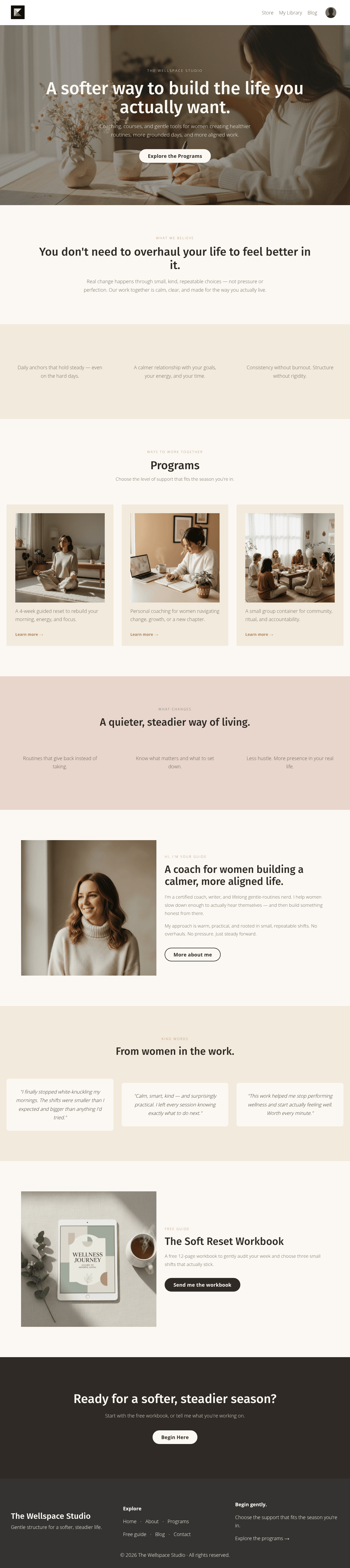
Life coaching · Website
Fold & Thread
Craft studio · Website
Haven Order
Home services · Website
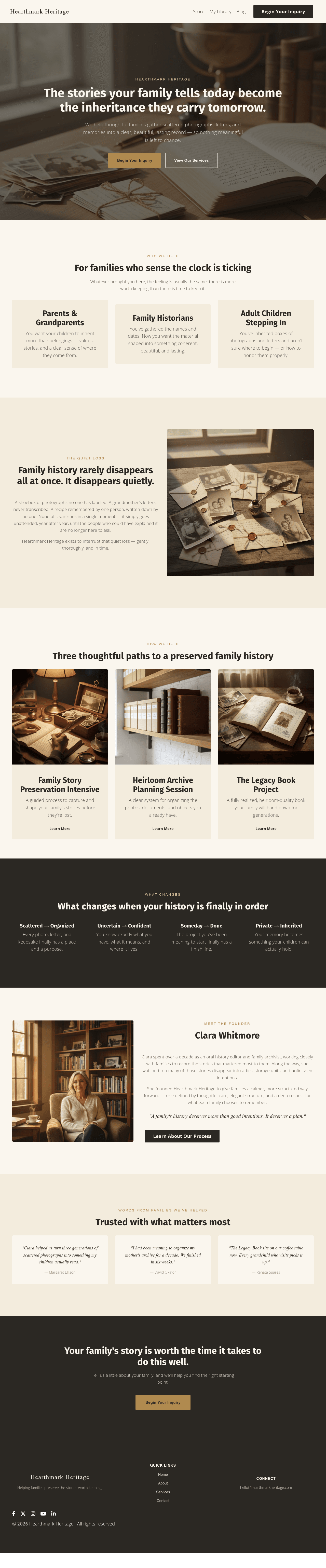
Hearthmark Heritage
Legacy services · Website
Meridian Growth Partners
Advisory · Website
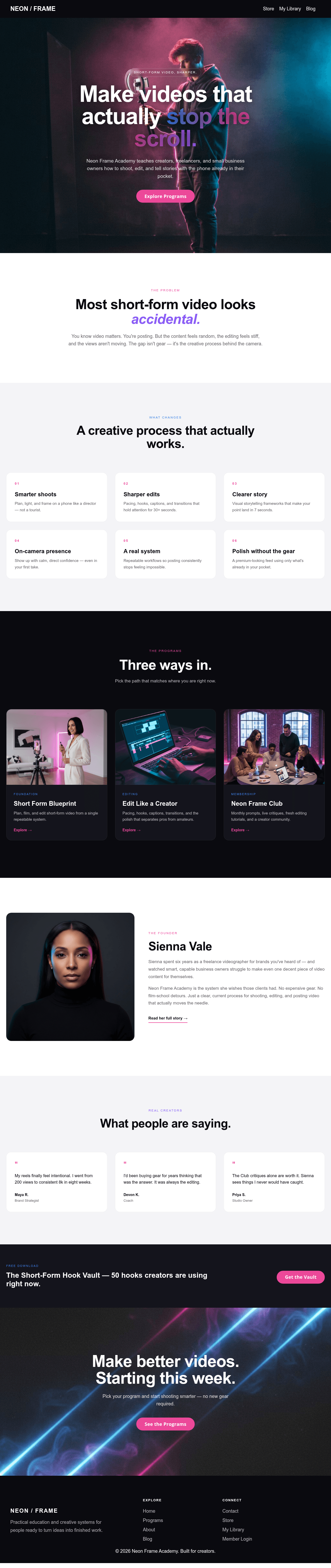
Neon Frame Academy
Course academy · Website
Studio Meridian
Creative agency · Website
What it is
A Kajabi website builder
your AI can actually use.
Pick a template, then tell ChatGPT or Claude what you want changed — headlines, sections, colors, photos, whole pages. Pro Studio handles every Kajabi rule behind the scenes, so what your AI builds is a real Kajabi theme, not a guess.
It is also your staging environment. Build and preview in Pro Studio — nothing touches your live Kajabi site until you export the .zip and upload it yourself.
You bring the vision. Your AI executes. Pro Studio keeps it Kajabi-compatible.
How it works
Describe, design, export.
A template, ready to ship.

Connect via AI
Add Pro Studio as an AI design tool in ChatGPT, Claude, Cursor, or any AI client. Your AI gains full design control — no clicks, no forms, just conversation. Keep your AI chat open on one side of your screen and Pro Studio on the other.

Design
Review the live preview inside Pro Studio. Iterate on copy, imagery, layout, and brand — all driven by your AI agent. Your live Kajabi site never sees a draft.
Export
When the template is ready, export a real Kajabi .zip. Upload to your account in a click. Yours to keep, edit, and reuse forever.
Pro Studio is the design tool your AI uses — it does not include the AI itself. Keep ChatGPT or Claude open on one side of your screen and Pro Studio on the other. You use both together.
What you can do
Everything you need
to ship a Kajabi site.
Start from a free template
Copy any of the free Kajabi templates in the library into your account — full multi-page websites, sales pages, and landing pages. No cost, no credit card.
Your AI does the building
Connect ChatGPT or Claude once. Then just describe what you want — new copy, new sections, new colors, new photos — and watch the template change.
Live Liquid preview
The preview renders the same Liquid markup Kajabi sites use — built into Pro Studio, not inside Kajabi. What you see is what ships. No surprises after you upload.
Nothing touches your live site
Pro Studio is your staging area. Your real Kajabi account only changes when you export the .zip and upload it yourself.
Websites and landing pages
Build a full site with shared header and footer across every page — or a single sales page, event page, or opt-in.
AI-generated imagery
Brand-matched photography and illustration generated on the fly, or upload your own real photos.
Import what you already have
Drop in your current Kajabi .zip and keep working from it instead of starting over.
Still editable in Kajabi
Fonts, colors, buttons, and spacing live in Kajabi's style guide — so you can keep editing normally after export.

Before you start
Common questions.
Do I need to know code?
No. You describe what you want in plain language and your AI makes the changes. You review the live preview and ask for adjustments.
Do I need my own ChatGPT or Claude?
Yes — a paid ChatGPT or Claude plan. Pro Studio is the design tool your AI drives; it does not include AI access.
Will this change my live Kajabi site?
Never on its own. You design in Pro Studio, export a .zip, and upload it to Kajabi when you are ready.
Are the templates really free?
Yes. Copying, designing, and previewing are free forever. You only spend credits when you export a finished template.
Can I use my own photos and brand colors?
Absolutely. Upload your own images, paste your hex codes, and tell your AI to apply your fonts and palette across every page.
What happens to my work if I cancel?
Everything you design stays yours. You can export any site as a Kajabi-compatible .zip before or after your plan ends.
How is this different from hiring a designer?
You get the same quality output in hours instead of weeks, and you can keep iterating with your AI whenever you want — no extra invoices.
Do the templates work on all Kajabi plans?
Yes. The exported templates are standard Kajabi themes and work with any Kajabi website or landing page plan.
Pricing
Design for free.
Pay only when you export.
Build, revise, and preview templates as long as you want. You only spend credits when you click Export.
1 credit = 1 modified block
Each export only charges for blocks you changed since the last export. Unmodified blocks are free to re-export.
Pool across every template
Credits live on your account, not on a specific site. Use them on any website or landing page you design.
See the cost before you pay
The exact credit cost is shown next to the Export button and in the confirmation dialog. Nothing is charged until you confirm.
What a template actually costs
Estimated credits needed — only modified blocks use credits.
Hero, features, testimonials, pricing, CTA, footer
Home, about, services, contact — shared header/footer
Home, about, services, blog, library, contact, 404, etc.
- ✓ Pool across every template
- ✓ 1 credit per modified block
- ✓ Expires 365 days from purchase
- ✓ Pool across every template
- ✓ 1 credit per modified block
- ✓ Expires 365 days from purchase
- ✓ Pool across every template
- ✓ 1 credit per modified block
- ✓ Expires 365 days from purchase
- ✓ Pool across every template
- ✓ 1 credit per modified block
- ✓ Expires 365 days from purchase
Secure checkout via Stripe · All sales final · Credits expire 365 days from purchase
No credit card to start · Buy credits only when you're ready to export